

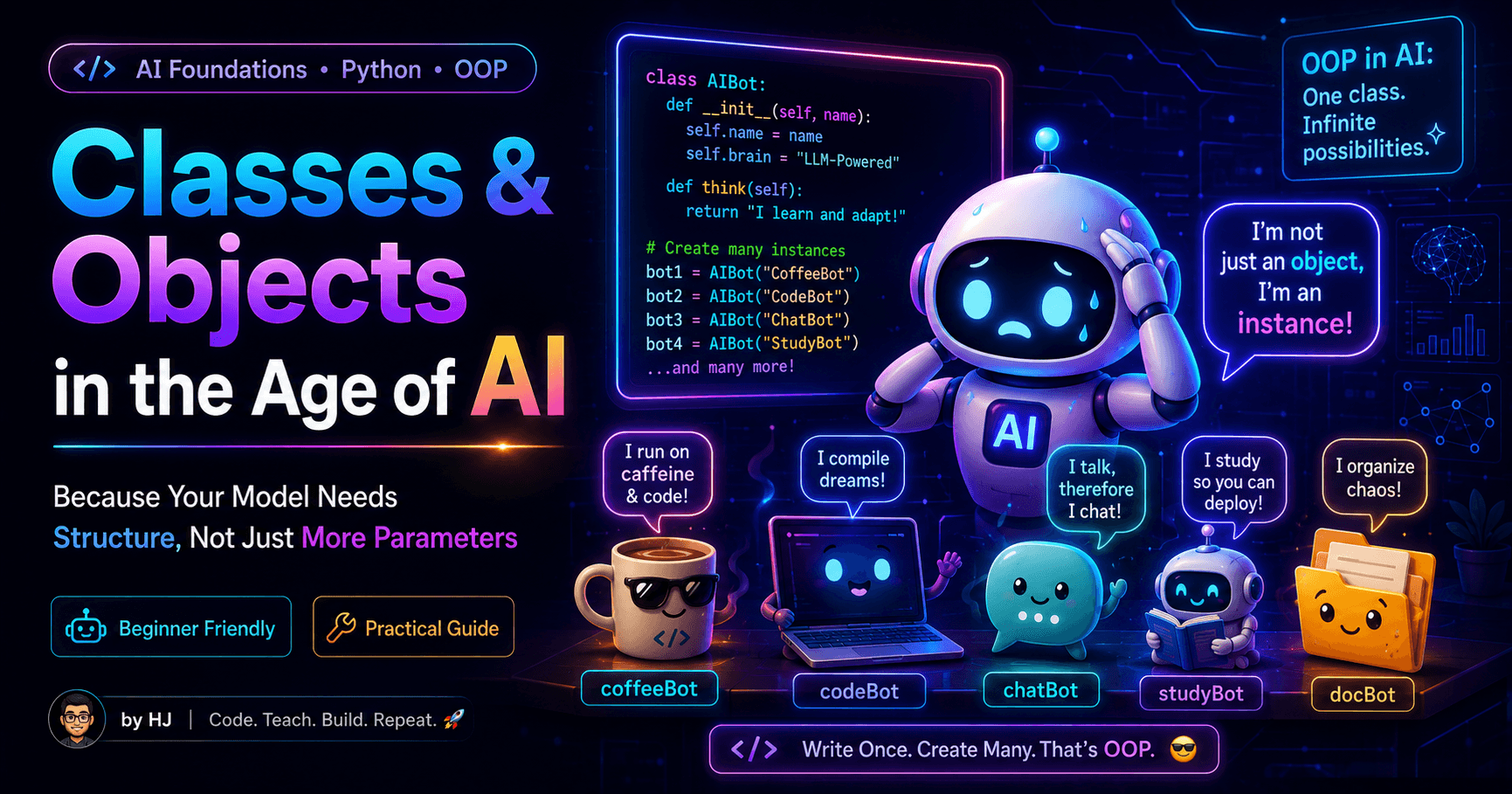
🧠🏗️ Classes & Objects in the Age of AI
Because Your Model Needs Structure, Not Just More Parameters
Hey there! 👋 I'm Hardeep Jethwani (HJ), your resident cloud aficionado and code maestro, proudly navigating the ever-changing seas of AWS Cloud and Full Stack Development for ~5 glorious years and counting. ☁️💻
Currently, I'm orchestrating the tech symphony as part of Team HSBC Bank, where I'm on a mission to enhance the banking experience through the magic of technology. 🚀💼
In my past life at Capgemini, I led exciting adventures like migrating critical applications to the cloud (18 and counting!). I had databases waltzing into the AWS Cloud, sprinkling a bit of containerization magic along the way. AWS managed services like RDS, Lambda, ECS, and friends? They were my trusty sidekicks. 🎩🔧
When not automating deployments with CI/CD finesse (think AWS CodePipeline, CodeBuild, and CodeDeploy), you might find me designing infrastructure like a digital architect using AWS CloudFormation. Security is my jam – I've got WAF, Security Groups, MFA, Cognito, and even a secret club in private subnets to keep things safe. 🔒💂♂️
On top of all that, I'm on a mission to reduce carbon footprints because, why not? HSBC's commitment to sustainability is my heart and soul. We're going for NET ZERO carbon footprint, and I'm leading the charge, one container at a time! 🌍🌱
And yes, the fun doesn't stop at work. In my past life at Tata Consultancy Services, I co-created a multi-tier Point of Sale application with a global footprint, touching the lives of billions. My automation tools were so efficient that even Father Time was left scratching his head. ⏳💡
If you're in need of a cloud-savvy comedian or a code deployment magician, look no further. Let's chat about tech, swap automation tales, or share some coding humor over a virtual coffee. Oh, and don't worry; I promise not to write code in my sleep (well, most of the time). Cheers to cloud adventures! ☕🚀
A beginner-friendly guide to Python classes, objects, inheritance, encapsulation, composition, and how object-oriented programming powers real AI systems.
🖼️ Suggested cover image alt text: “Classes and Objects in the Age of AI — a beginner-friendly Python guide for AI builders.”
Artificial intelligence can generate text, understand images, write code, create music, recommend products, and occasionally answer a simple question with the confidence of someone who did not read the question.
But an AI application is rarely just one magical model sitting inside a server.
A real AI system may contain:
A model
A tokenizer
A prompt template
A vector database
An embedding service
A cache
A retriever
An agent
Multiple tools
Configuration settings
Logs, metrics, and experiment data
One developer wondering why the GPU memory is still occupied
As these components grow, managing everything with random variables and functions becomes difficult.
That is where classes and objects become useful.
Classes help us organize AI systems into understandable, reusable, and testable components.
In simple words:
A class defines what something should contain and what it should be able to do.
An object is the actual thing created from that class.
Let us understand this without making object-oriented programming sound like an ancient ritual performed during technical interviews.
🤔 Why Do Classes Matter in AI?
Imagine building an AI chatbot using only variables:
model_name = "SmartBot-1"
temperature = 0.7
max_tokens = 500
system_prompt = "You are a helpful assistant."
conversation_history = []
Then you add another chatbot:
second_model_name = "CodeBot-1"
second_temperature = 0.2
second_max_tokens = 1000
second_system_prompt = "You are a coding assistant."
second_conversation_history = []
Then you add ten more assistants.
Soon, your code looks like this:
model_name_7 = "Something"
temperature_7 = 0.5
history_7 = []
At this point, your AI system is not intelligent.
It is a spreadsheet pretending to be software.
A class lets us group related information and behaviour together:
class AIAssistant:
    def __init__(
        self,
        name: str,
        temperature: float,
        max_tokens: int,
        system_prompt: str
    ):
        self.name = name
        self.temperature = temperature
        self.max_tokens = max_tokens
        self.system_prompt = system_prompt
        self.conversation_history = []
Now we can create multiple assistants cleanly:
general_assistant = AIAssistant(
    name="SmartBot",
    temperature=0.7,
    max_tokens=500,
    system_prompt="You are a helpful assistant."
)

coding_assistant = AIAssistant(
    name="CodeBot",
    temperature=0.2,
    max_tokens=1000,
    system_prompt="You are an expert Python developer."
)
Each assistant is a separate object with its own settings and history.
Much cleaner.
Much safer.
Much less likely to make future-you send angry messages to present-you.
🏗️ What Is a Class?
A class is a blueprint.
Consider the blueprint of a house. It may define the number of rooms, doors, floors, and facilities. But the blueprint itself is not a house.
Similarly, a class defines the structure and behaviour of something, but it does not become a usable object until we create an instance.
class AIModel:
    pass
This defines a class named AIModel.
At the moment, it does nothing.
It is the programming equivalent of buying an empty notebook and feeling productive.
🤖 What Is an Object?
An object is an actual instance created from a class.
class AIModel:
    pass


model = AIModel()
Here, AIModel is the class and model is an object created from it.
We can create multiple objects:
model_one = AIModel()
model_two = AIModel()
model_three = AIModel()
All three objects come from the same class, but they are separate objects.
Think of the class as a robot design. Each object is an actual robot built using that design.
The robots may look similar, but one can be working properly while another is somehow trying to connect to Wi-Fi using a calculator.
🧰 Attributes: Information Stored Inside Objects
Attributes are variables that belong to an object.
An AI model object may contain its name, provider, temperature, token limit, context window, or current status.
class AIModel:
    def __init__(self, name: str, provider: str):
        self.name = name
        self.provider = provider
Create an object:
model = AIModel(
    name="SmartText-1",
    provider="Kapistra AI"
)

print(model.name)
print(model.provider)
Output:
SmartText-1
Kapistra AI
The values stored inside model are called instance attributes.
Each object can have different values:
chat_model = AIModel("ChatMaster", "Kapistra AI")
vision_model = AIModel("VisionMaster", "Kapistra AI")
Even though both objects come from the same class, their attributes are different.
🚪 Understanding __init__
The __init__ method runs automatically whenever an object is created.
class AIModel:
    def __init__(self, name: str):
        self.name = name
When we write:
model = AIModel("SmartBot")
Python uses __init__ to prepare that new object.
For beginners, the important idea is:
__init__gives an object its starting values.
A more realistic example:
class AIModel:
    def __init__(
        self,
        name: str,
        context_window: int,
        temperature: float
    ):
        self.name = name
        self.context_window = context_window
        self.temperature = temperature
        self.is_loaded = False
Create the object:
model = AIModel(
    name="KapistraGPT",
    context_window=8192,
    temperature=0.7
)
The object now stores all those values.
👤 What Is self?
self represents the current object.
class AIModel:
    def __init__(self, name: str):
        self.name = name
The line:
self.name = name
means:
Store the given name inside this particular object.
Suppose we create two models:
model_one = AIModel("Chat Model")
model_two = AIModel("Coding Model")

print(model_one.name)
print(model_two.name)
Output:
Chat Model
Coding Model
When Python initializes model_one, self refers to model_one. When it initializes model_two, self refers to model_two.
Without self, Python would not know which object's data you wanted to access.
self is basically Python asking:
“Whose temperature are we changing here?”
A very reasonable question in a system containing twelve models and one exhausted engineer.
⚙️ Methods: Actions an Object Can Perform
Methods are functions defined inside a class.
Attributes describe what an object has.
Methods describe what an object does.
class AIModel:
    def __init__(self, name: str):
        self.name = name
        self.is_loaded = False

    def load(self) -> None:
        self.is_loaded = True
        print(f"{self.name} has been loaded.")

    def generate(self, prompt: str) -> str:
        if not self.is_loaded:
            return "Model is not loaded."

        return f"{self.name} received: {prompt}"
Using the object:
model = AIModel("KapistraGPT")

print(model.generate("Explain neural networks"))

model.load()

print(model.generate("Explain neural networks"))
Output:
Model is not loaded.
KapistraGPT has been loaded.
KapistraGPT received: Explain neural networks
This is useful because AI objects may need to remember whether a model is loaded, which device it uses, its conversation history, cached embeddings, training progress, and configuration.
🧠 State: When an Object Remembers Something
An object's current data is called its state.
class ChatAssistant:
    def __init__(self, name: str):
        self.name = name
        self.history: list[str] = []

    def chat(self, message: str) -> str:
        self.history.append(message)

        return (
            f"{self.name}: I received your message. "
            f"We now have {len(self.history)} messages."
        )
Use it:
assistant = ChatAssistant("StudyBot")

print(assistant.chat("What is Python?"))
print(assistant.chat("What is a class?"))
print(assistant.chat("Why is my code not working?"))
The assistant remembers previous messages because history belongs to that object.
AI systems frequently manage state for chat conversations, agent memory, user sessions, workflow progress, training checkpoints, retrieved documents, and tool results.
However, state must be managed carefully.
An AI assistant that accidentally mixes two users' conversation histories is not demonstrating advanced reasoning.
It is demonstrating a privacy incident.
👥 Multiple Objects, Separate State
Each object gets its own instance attributes.
class ChatAssistant:
    def __init__(self, name: str):
        self.name = name
        self.history: list[str] = []

    def remember(self, message: str) -> None:
        self.history.append(message)
Create two assistants:
student_assistant = ChatAssistant("StudentBot")
developer_assistant = ChatAssistant("DeveloperBot")

student_assistant.remember("Explain algebra")
developer_assistant.remember("Explain Docker")

print(student_assistant.history)
print(developer_assistant.history)
Output:
['Explain algebra']
['Explain Docker']
Each object maintains its own history.
This is one major reason objects are useful when building AI applications for multiple users, agents, models, or workflows.
🏷️ Instance Attributes vs Class Attributes
An instance attribute belongs to one object.
A class attribute is shared by every object created from the class.
class AIModel:
    category = "Artificial Intelligence"

    def __init__(self, name: str):
        self.name = name
Here, category is a class attribute, while name is an instance attribute.
model_one = AIModel("TextBot")
model_two = AIModel("VisionBot")

print(model_one.category)
print(model_two.category)
print(model_one.name)
print(model_two.name)
Use class attributes for values common to every object, such as a library version or supported format.
Use instance attributes for values that differ, such as model name, temperature, API key, or token limit.
⚠️ The Shared Mutable Class Attribute Trap
This is one of the most important Python mistakes to understand.
class AIAssistant:
    history = []

    def remember(self, message: str) -> None:
        self.history.append(message)
Create two assistants:
assistant_one = AIAssistant()
assistant_two = AIAssistant()

assistant_one.remember("Hello")

print(assistant_two.history)
You may expect:
[]
But the result is:
['Hello']
Why? Because history is a class attribute shared by all objects.
The correct version is:
class AIAssistant:
    def __init__(self):
        self.history = []

    def remember(self, message: str) -> None:
        self.history.append(message)
Now every assistant gets separate history.
In AI systems, getting this wrong can cause user conversations, agent memory, or cached results to leak across sessions.
Your chatbot may become surprisingly social, but your security team will not appreciate it.
🛠️ Instance Methods, Class Methods, and Static Methods
Instance methods
Instance methods work with a specific object and receive self.
class AIModel:
    def __init__(self, name: str):
        self.name = name

    def describe(self) -> str:
        return f"This model is called {self.name}."
Class methods
Class methods work with the class and receive cls.
class AIModel:
    def __init__(self, name: str, temperature: float):
        self.name = name
        self.temperature = temperature

    @classmethod
    def from_dictionary(cls, data: dict) -> "AIModel":
        return cls(
            name=data["name"],
            temperature=data["temperature"]
        )
Usage:
model_data = {
    "name": "DictionaryBot",
    "temperature": 0.4
}

model = AIModel.from_dictionary(model_data)
Class methods are useful as alternative constructors, such as creating objects from JSON, environment variables, configuration files, or database records.
Static methods
Static methods belong logically to a class but do not need self or cls.
class ModelValidator:
    @staticmethod
    def is_valid_temperature(value: float) -> bool:
        return 0.0 <= value <= 2.0
Usage:
print(ModelValidator.is_valid_temperature(0.7))
print(ModelValidator.is_valid_temperature(5.0))
Static methods are useful for validation, formatting, and calculations related to a class.
Not every function needs to wear a class uniform, though. If a function does not strongly belong to a class, keeping it as a normal function may be simpler.
🔒 Encapsulation: Protecting Internal State
Encapsulation means keeping related data and behaviour together while controlling how internal data is changed.
Suppose a model's temperature must remain between 0 and 2.
This is unsafe:
model.temperature = 9000
At temperature 9000, the model may not become more creative.
It may begin writing poetry in binary.
We can validate updates using a property:
class AIModel:
    def __init__(self, name: str, temperature: float):
        self.name = name
        self.temperature = temperature

    @property
    def temperature(self) -> float:
        return self._temperature

    @temperature.setter
    def temperature(self, value: float) -> None:
        if not 0.0 <= value <= 2.0:
            raise ValueError(
                "Temperature must be between 0 and 2."
            )

        self._temperature = value
Now invalid values are blocked.
The underscore in _temperature means the attribute is intended for internal use. Python does not enforce strict privacy, but developers follow this convention.
🧬 Inheritance: Creating a Class from Another Class
Inheritance allows one class to reuse and extend another.
class BaseAIModel:
    def __init__(self, name: str):
        self.name = name

    def generate(self, prompt: str) -> str:
        return f"{self.name} processed: {prompt}"


class TextModel(BaseAIModel):
    def summarize(self, text: str) -> str:
        return f"Summary of: {text[:30]}..."
Usage:
model = TextModel("TextMaster")

print(model.generate("Explain machine learning"))
print(model.summarize("Machine learning is a field of AI..."))
TextModel inherits the name attribute and generate method, then adds its own summarize method.
🔄 Method Overriding
A child class can replace behaviour inherited from a parent class.
class BaseAIModel:
    def generate(self, prompt: str) -> str:
        return f"Base response for: {prompt}"


class ChatModel(BaseAIModel):
    def generate(self, prompt: str) -> str:
        return f"Chat response for: {prompt}"


class CodeModel(BaseAIModel):
    def generate(self, prompt: str) -> str:
        return f"Python code generated for: {prompt}"
Each class provides its own implementation of generate.
This leads to polymorphism.
🎭 Polymorphism: Same Method, Different Behaviour
Polymorphism means different objects can respond to the same method in different ways.
class ChatModel:
    def generate(self, prompt: str) -> str:
        return f"Chat answer: {prompt}"


class ImageModel:
    def generate(self, prompt: str) -> str:
        return f"Image created from: {prompt}"


class AudioModel:
    def generate(self, prompt: str) -> str:
        return f"Audio created from: {prompt}"
Now create a function:
def run_model(model, prompt: str) -> None:
    print(model.generate(prompt))
Use any compatible model:
run_model(ChatModel(), "Explain AI")
run_model(ImageModel(), "A futuristic classroom")
run_model(AudioModel(), "Calm background music")
The function does not need to know the exact model type. It only expects a generate method.
This is useful when switching between local models, cloud models, open-source models, text models, image models, or fake models used during testing.
📜 Abstract Base Classes
Sometimes we want to define a rule that every child class must follow.
from abc import ABC, abstractmethod


class BaseModel(ABC):
    @abstractmethod
    def generate(self, prompt: str) -> str:
        pass
Now create implementations:
class LocalModel(BaseModel):
    def generate(self, prompt: str) -> str:
        return f"Local model response: {prompt}"


class CloudModel(BaseModel):
    def generate(self, prompt: str) -> str:
        return f"Cloud model response: {prompt}"
A child class must implement generate.
Abstract classes are useful in AI platforms supporting multiple providers because they establish a contract:
Every model adapter must know how to generate a response.
How it generates that response is its own business.
Much like developers during daily stand-up meetings.
🧩 Composition: Building Objects from Other Objects
Composition means one object contains other objects.
This is one of the most useful ideas in AI architecture.
class Model:
    def generate(self, prompt: str) -> str:
        return f"Generated response for: {prompt}"


class Retriever:
    def search(self, query: str) -> list[str]:
        return [
            "Relevant document one",
            "Relevant document two"
        ]


class AIApplication:
    def __init__(self, model: Model, retriever: Retriever):
        self.model = model
        self.retriever = retriever

    def answer(self, question: str) -> str:
        documents = self.retriever.search(question)
        context = "\n".join(documents)

        prompt = (
            f"Context:\n{context}\n\n"
            f"Question: {question}"
        )

        return self.model.generate(prompt)
Create the application:
model = Model()
retriever = Retriever()

app = AIApplication(model=model, retriever=retriever)

print(app.answer("What is artificial intelligence?"))
The application has a model and has a retriever.
That is composition.
Composition is often better than creating one enormous class that loads the model, searches the database, builds prompts, sends emails, generates embeddings, tracks invoices, makes coffee, and somehow also handles authentication.
Such a class is commonly called a God object.
It knows everything, controls everything, and becomes impossible to modify without fear.
🧱 Inheritance vs Composition
Inheritance represents an is-a relationship:
A ChatModel is an AIModel.
Composition represents a has-a relationship:
An AIApplication has a model.
An AIApplication has a retriever.
Use inheritance when classes genuinely share a common identity and interface.
Use composition when assembling independent components.
Modern AI systems often benefit more from composition because models, retrievers, databases, caches, and tools change independently.
You may replace the retriever without replacing the model. You may replace the model without rewriting the entire application.
That is good architecture.
And fewer emergency weekend deployments.
✨ Magic Methods
Magic methods are special Python methods surrounded by double underscores.
Common examples include:
__init__
__str__
__repr__
__len__
__call__
__str__
Controls how an object appears when printed.
class AIModel:
    def __init__(self, name: str, parameters: int):
        self.name = name
        self.parameters = parameters

    def __str__(self) -> str:
        return f"{self.name} ({self.parameters:,} parameters)"
model = AIModel("MiniBrain", 7_000_000_000)
print(model)
Output:
MiniBrain (7,000,000,000 parameters)
__repr__
Provides a developer-friendly representation.
class AIModel:
    def __init__(self, name: str, temperature: float):
        self.name = name
        self.temperature = temperature

    def __repr__(self) -> str:
        return (
            f"AIModel(name={self.name!r}, "
            f"temperature={self.temperature})"
        )
__len__
Defines what len(object) means.
class Conversation:
    def __init__(self):
        self.messages: list[str] = []

    def add(self, message: str) -> None:
        self.messages.append(message)

    def __len__(self) -> int:
        return len(self.messages)
__call__
Allows an object to behave like a function.
class SimpleModel:
    def __init__(self, name: str):
        self.name = name

    def __call__(self, prompt: str) -> str:
        return f"{self.name} generated: {prompt}"
Usage:
model = SimpleModel("CallableBot")
response = model("Explain object-oriented programming")
This pattern is common in machine-learning libraries where a model object is called like a function:
output = model(input_data)
📦 Dataclasses: Less Boilerplate, More Clarity
Classes that mainly store data can use dataclasses.
from dataclasses import dataclass


@dataclass
class ModelConfiguration:
    model_name: str
    temperature: float
    max_tokens: int
    context_window: int
Create an object:
config = ModelConfiguration(
    model_name="StudyBot",
    temperature=0.5,
    max_tokens=500,
    context_window=8192
)

print(config)
Python automatically creates useful methods such as __init__, __repr__, and __eq__.
Dataclasses are excellent for model configuration, training configuration, dataset records, inference results, evaluation metrics, and prompt settings.
Immutable configuration
AI experiments should remain reproducible.
from dataclasses import dataclass


@dataclass(frozen=True)
class TrainingConfiguration:
    learning_rate: float
    batch_size: int
    epochs: int
    random_seed: int
Because the dataclass is frozen, accidental changes are blocked.
Nothing says “scientific reproducibility” like discovering your learning rate changed three hours into training.
🤖 How Classes and Objects Are Used in AI
Classes are not just academic concepts. They appear throughout practical AI engineering.
1. Model wrappers
Different AI providers may expose different APIs. A wrapper class hides those differences.
class ModelClient:
    def generate(self, prompt: str) -> str:
        raise NotImplementedError


class LocalModelClient(ModelClient):
    def generate(self, prompt: str) -> str:
        return f"Local response for: {prompt}"


class CloudModelClient(ModelClient):
    def generate(self, prompt: str) -> str:
        return f"Cloud response for: {prompt}"
The rest of the application can work with ModelClient without caring where the response comes from.
2. Dataset objects
A dataset class can manage loading, validation, cleaning, indexing, batching, shuffling, tokenization, and augmentation.
class TextDataset:
    def __init__(self, records: list[str]):
        self.records = records

    def clean(self) -> None:
        self.records = [
            record.strip()
            for record in self.records
            if record.strip()
        ]

    def __len__(self) -> int:
        return len(self.records)

    def __getitem__(self, index: int) -> str:
        return self.records[index]
3. Tokenizers
A tokenizer object can store vocabulary and configuration.
class SimpleTokenizer:
    def __init__(self):
        self.vocabulary: dict[str, int] = {}

    def fit(self, text: str) -> None:
        for word in text.lower().split():
            if word not in self.vocabulary:
                self.vocabulary[word] = len(self.vocabulary) + 1

    def encode(self, text: str) -> list[int]:
        return [
            self.vocabulary.get(word, 0)
            for word in text.lower().split()
        ]
The tokenizer remembers its vocabulary in its internal state.
4. Embedding services
An embedding service can manage model loading, vector creation, batching, retries, caching, authentication, and device selection.
class EmbeddingService:
    def __init__(self, dimensions: int):
        self.dimensions = dimensions

    def embed(self, text: str) -> list[float]:
        word_count = len(text.split())

        return [
            float(word_count)
            for _ in range(self.dimensions)
        ]
5. Vector stores
A vector-store object can store embeddings and search them.
class InMemoryVectorStore:
    def __init__(self):
        self.documents: list[str] = []
        self.vectors: list[list[float]] = []

    def add(self, document: str, vector: list[float]) -> None:
        self.documents.append(document)
        self.vectors.append(vector)

    def count(self) -> int:
        return len(self.documents)
In a real RAG application, the class may connect to an external vector database while hiding database-specific logic from the rest of the code.
6. Prompt templates
Prompt templates can also be objects.
class PromptTemplate:
    def __init__(self, template: str):
        self.template = template

    def format(self, context: str, question: str) -> str:
        return self.template.format(
            context=context,
            question=question
        )
This separates prompt design from application logic.
Prompt engineers can update the template without rewriting the model client.
Peace is restored between the engineering team and the prompt team.
Temporarily.
7. AI agents and tools
An agent may contain tools represented as objects.
class CalculatorTool:
    name = "calculator"

    def run(self, expression: str) -> str:
        try:
            result = eval(
                expression,
                {"__builtins__": {}},
                {}
            )
            return str(result)
        except Exception:
            return "Invalid expression"
class Agent:
    def __init__(self, tools: list):
        self.tools = {
            tool.name: tool
            for tool in tools
        }

    def use_tool(self, tool_name: str, input_value: str) -> str:
        tool = self.tools.get(tool_name)

        if tool is None:
            return "Tool not found"

        return tool.run(input_value)
Tools as objects provide a consistent interface, independent testing, easy replacement, and clear responsibilities.
8. Training runs
Training jobs can be represented as objects.
class TrainingRun:
    def __init__(self, model_name: str, epochs: int):
        self.model_name = model_name
        self.epochs = epochs
        self.current_epoch = 0
        self.loss_history: list[float] = []

    def record_epoch(self, loss: float) -> None:
        self.current_epoch += 1
        self.loss_history.append(loss)

    def summary(self) -> str:
        return (
            f"Model: {self.model_name}, "
            f"Epoch: {self.current_epoch}/{self.epochs}, "
            f"Latest loss: {self.loss_history[-1]}"
        )
Training objects can track epochs, loss, accuracy, checkpoints, learning rate, runtime, hardware usage, and experiment identifiers.
🛠️ A Complete Mini AI Application Using Classes
Let us combine multiple concepts into a small RAG-style application.
Step 1: Retriever
class SimpleRetriever:
    def __init__(self, documents: list[str]):
        self.documents = documents

    def search(self, query: str, limit: int = 2) -> list[str]:
        query_words = set(query.lower().split())
        scored_documents = []

        for document in self.documents:
            document_words = set(document.lower().split())
            score = len(query_words.intersection(document_words))
            scored_documents.append((score, document))

        scored_documents.sort(
            key=lambda item: item[0],
            reverse=True
        )

        return [
            document
            for score, document in scored_documents[:limit]
            if score > 0
        ]
Step 2: Prompt template
class RAGPromptTemplate:
    def build(self, context: list[str], question: str) -> str:
        joined_context = "\n".join(context)

        return (
            "Answer using the supplied context.\n\n"
            f"Context:\n{joined_context}\n\n"
            f"Question:\n{question}"
        )
Step 3: Model
class MockAIModel:
    def __init__(self, name: str):
        self.name = name

    def generate(self, prompt: str) -> str:
        return (
            f"{self.name} generated a response "
            f"using this prompt:\n\n{prompt}"
        )
Step 4: Application
class RAGApplication:
    def __init__(
        self,
        retriever: SimpleRetriever,
        prompt_template: RAGPromptTemplate,
        model: MockAIModel
    ):
        self.retriever = retriever
        self.prompt_template = prompt_template
        self.model = model

    def answer(self, question: str) -> str:
        documents = self.retriever.search(question)

        if not documents:
            return "No relevant information was found."

        prompt = self.prompt_template.build(
            context=documents,
            question=question
        )

        return self.model.generate(prompt)
Step 5: Run it
documents = [
    "Python supports classes and objects.",
    "Big O describes algorithmic growth.",
    "RAG combines retrieval with generation.",
    "Embeddings represent information as vectors."
]

retriever = SimpleRetriever(documents)
prompt_template = RAGPromptTemplate()
model = MockAIModel("StudyBot")

app = RAGApplication(
    retriever=retriever,
    prompt_template=prompt_template,
    model=model
)

response = app.answer(
    "How does RAG use retrieval?"
)

print(response)
This application is simple, but its structure resembles real AI systems.
Each class has one responsibility. We can replace one component without rewriting everything.
For example, we can replace MockAIModel with a cloud-model client while keeping the same application structure.
That is the practical power of classes and objects.
⚠️ How Poor Class Design Can Impact AI Systems
Classes improve structure only when they are designed carefully.
A badly designed class can make an AI application slower, harder to test, and more dangerous.
1. Hidden shared state
Bad:
class ChatSession:
    messages = []
Good:
class ChatSession:
    def __init__(self):
        self.messages = []
Impact in AI:
User conversations may leak
Agent memory may mix
Tests may affect one another
Cached results may become incorrect
2. Giant classes
A class that performs every task becomes difficult to maintain.
class EverythingAI:
    def load_model(self):
        pass

    def search_database(self):
        pass

    def send_email(self):
        pass

    def authenticate_user(self):
        pass

    def generate_embedding(self):
        pass

    def calculate_invoice(self):
        pass
Split responsibilities into focused services such as ModelService, RetrievalService, AuthenticationService, and BillingService.
The goal is not to create a class for every line of code. The goal is to keep responsibilities clear.
3. Too much inheritance
Deep inheritance structures become confusing:
BaseModel
  └── LanguageModel
       └── ChatModel
            └── ToolUsingChatModel
                 └── StreamingToolUsingChatModel
                      └── WhyIsThisClassStillLoadingModel
Prefer composition when components can be combined independently.
Too much inheritance creates tight coupling, unexpected inherited behaviour, difficult testing, and fragile updates.
4. Mutable configuration
If model settings change unexpectedly, results may become inconsistent.
config.temperature = 1.9
config.model_name = "different-model"
This can affect reproducibility, evaluation results, model behaviour, cost, and output quality.
Use immutable configuration objects when appropriate.
5. Resource management
AI objects may hold expensive resources:
GPU memory
Open files
Database connections
Network clients
Model weights
If objects are not cleaned up, resources may remain occupied.
A context manager can help:
class ModelResource:
    def __enter__(self):
        print("Loading model")
        return self

    def __exit__(
        self,
        exception_type,
        exception_value,
        traceback
    ):
        print("Releasing model")
Usage:
with ModelResource() as model:
    print("Running inference")
Cleanup occurs even when an error happens.
6. Memory usage
Every object consumes memory.
Creating millions of heavy objects can become expensive, especially if each one stores a large embedding or repeated metadata.
Consider:
Storing references instead of copies
Using compact data structures
Loading data lazily
Persisting embeddings externally
Processing records in batches
Object-oriented design does not remove memory limits.
The GPU will not accept “but my architecture is elegant” as an allocation strategy.
7. State leakage during concurrency
A single AI application may serve many users simultaneously.
If one shared object stores request-specific state, requests may interfere with one another.
class SharedAssistant:
    def __init__(self):
        self.current_user = None
        self.current_prompt = None
Multiple requests may overwrite these values.
Use request-scoped objects or pass request data directly into methods.
Concurrency bugs are difficult because everything works perfectly with one test user. Then production introduces ten thousand users and your assistant starts answering questions nobody asked.
8. Difficult serialization
AI objects may need to be saved as JSON, sent through queues, or stored in databases.
Objects containing open connections, model handles, GPU tensors, file streams, or locks may not serialize cleanly.
Separate serializable metadata from runtime resources:
from dataclasses import dataclass


@dataclass
class ModelMetadata:
    name: str
    version: str
    context_window: int
9. Side effects inside constructors
Avoid doing too much inside __init__.
Risky:
class AIModel:
    def __init__(self):
        self.download_model()
        self.connect_database()
        self.allocate_gpu()
        self.start_background_worker()
Simply creating the object now performs expensive operations.
Better:
class AIModel:
    def __init__(self, model_name: str):
        self.model_name = model_name
        self.is_loaded = False

    def load(self) -> None:
        self.is_loaded = True
This gives the caller control over when expensive work occurs.
🧪 Classes Make AI Systems Easier to Test
Classes allow us to replace real components with fake ones.
class AIApplication:
    def __init__(self, model):
        self.model = model

    def answer(self, question: str) -> str:
        return self.model.generate(question)
For testing, use a fake model:
class FakeModel:
    def generate(self, prompt: str) -> str:
        return "Fixed test response"
Test it:
fake_model = FakeModel()
app = AIApplication(fake_model)

assert app.answer("Anything") == "Fixed test response"
No API call.
No GPU.
No unexpected bill.
No model deciding that the correct test response should be a twelve-paragraph essay.
This pattern is called dependency injection: the dependency is supplied from outside instead of being created internally.
🧠 When Should You Use Classes?
Use classes when you need to combine:
Related data
Behaviour
State
Reusable components
Multiple interchangeable implementations
Classes work well for:
Model clients
Dataset loaders
Tokenizers
Retrievers
Vector stores
Agents
Tools
Training runs
Evaluation reports
Configuration objects
Conversation sessions
🚫 When Should You Avoid Classes?
Not every problem requires a class.
A simple function may be better:
def normalize_text(text: str) -> str:
    return text.strip().lower()
Turning this into a class adds little value:
class TextNormalizer:
    def normalize(self, text: str) -> str:
        return text.strip().lower()
Use a class when state, configuration, or related behaviour must be managed.
Use a function when the operation is simple and stateless.
Object-oriented programming is a tool. It is not a competition to see how many classes can be created before the code becomes unreadable.
📌 Classes and Objects Quick Cheat Sheet
class AIModel:
    class_attribute = "Shared value"

    def __init__(self, name: str):
        # Instance attribute
        self.name = name

    # Instance method
    def generate(self, prompt: str) -> str:
        return f"{self.name}: {prompt}"

    # Class method
    @classmethod
    def from_config(cls, config: dict) -> "AIModel":
        return cls(config["name"])

    # Static method
    @staticmethod
    def validate_prompt(prompt: str) -> bool:
        return bool(prompt.strip())

    # String representation
    def __str__(self) -> str:
        return self.name
Create an object:
model = AIModel("StudyBot")
Access an attribute:
print(model.name)
Call a method:
print(model.generate("Explain AI"))
Create another object:
second_model = AIModel("CodeBot")
Each object has separate instance state.
✅ Questions Every AI Developer Should Ask
Before creating or reviewing a class, ask:
Does this class have one clear responsibility?
Is any mutable state accidentally shared?
Should this value belong to the class or the instance?
Is inheritance genuinely needed?
Would composition be simpler?
Can this component be replaced during testing?
Does the object hold expensive resources?
Is request-specific state isolated?
Can the important data be serialized?
Will this design remain understandable when the AI system grows?
A good class should make the system easier to understand.
If understanding the class requires a whiteboard, three architects, and an emotional-support coffee, the design may need improvement.
🎯 Final Thoughts
Classes and objects are not just syntax involving class, self, and __init__.
They help us model real components in AI systems.
A class can represent:
A model
A dataset
A tokenizer
An embedding service
A retriever
A vector store
An agent
A tool
A conversation
A training experiment
Objects allow each component to maintain its own configuration, state, and behaviour.
Good object-oriented design can make AI software:
Easier to understand
Easier to test
Easier to extend
Easier to replace
Safer for multiple users
More maintainable at scale
But classes must be used carefully.
Poorly managed state can leak user information.
Giant classes can make systems impossible to maintain.
Deep inheritance can turn a simple model wrapper into an archaeological excavation.
The goal is not to make code look complicated.
The goal is to make complicated AI systems feel simple.
So the next time someone says:
“The model is the most important part of the AI application.”
You can politely respond:
“Yes—but somebody still has to organize the model, tokenizer, retriever, cache, agent, tools, prompts, configuration, and cloud invoice.” 😄
Because in the age of AI, intelligence may come from the model.
But maintainability comes from good software design. 🤖🏗️🚀
🌐 Let’s Connect
Whether you are learning Python, exploring AI engineering, debugging an object that refuses to behave, or trying to understand why every model wrapper has a generate() method, I am always happy to connect.
Let us continue learning, building, and creating AI systems that are not only intelligent—but also clean, testable, and maintainable.
LinkedIn: Connect with me for AI, AWS, cloud engineering, Python, and software-development content.
hardeepjethwani@LinkedIn
X: Join the conversation around AI, cloud, Python, software engineering, and developer humour.
hardeepjethwani@X
Want to support my AI, cloud, and educational adventures? Feel free to buy me a virtual coffee. After all, caffeine may be the most reusable object in software engineering. ☕🙌
#Python #ClassesAndObjects #ObjectOrientedProgramming #OOP #ArtificialIntelligence #AIEngineering #MachineLearning #GenerativeAI #SoftwareEngineering #PythonProgramming #AIArchitecture #LLM #RAG #VectorDatabase #DataStructures #Programming #Coding #ComputerScience #TechEducation #DeveloperCommunity #BeginnerFriendly